6 Best Free AI Room Design Tools in 2026
Compare six free room design options: AI photo trials, 3D planners, and IKEA furniture previews. See the free allowances, download options, and paid upgrades.
For a free AI makeover from your own room photo, start with ImagineMyHouse, Remodel AI, or REimagineHome. Each offers a small allowance to try the workflow. If you want to keep experimenting with furniture arrangements, Planner 5D and Homestyler have ongoing free planning features. IKEA Kreativ is useful when you want to see actual IKEA furniture in a room before buying it.
The best choice depends on what you want to take away: a redesigned photo, an editable layout, or a shopping shortlist. Here's what you can do for free with each.
Free room design tools at a glance
| Tool | Free access | Paid options |
|---|---|---|
ImagineMyHouse | 30 signup credits: 3 Basic images | More credits, Pro quality, watermark-free downloads |
Remodel AI | 3 standard-quality designs | More designs, HD downloads, watermark removal |
REimagineHome | 5 trial designs, no card | Subscription for continued use |
Planner 5D | Ongoing 2D/3D planning; partial catalog | Full catalog, AI credits, advanced renders |
Homestyler | 3D planning; unlimited standard 1K renders | Advanced tools, higher resolution, AI credits |
IKEA Kreativ | Room visualization with IKEA products | Furniture purchases |
1. ImagineMyHouse: three room-photo ideas to start
ImagineMyHouse AI Room Design works well when you already have a room photo and want to explore a different style. Registration includes 30 trial credits without a credit card. At 10 credits per Basic image, that's three images if you use the full allowance for Basic generation.
Upload a clear photo, choose the room type and style, and describe anything you want to keep in Details. For a smaller change, such as painting the wall behind your sofa, use the Image Editor.
Free results can be downloaded with a watermark. Paid packs and subscriptions add watermark-free downloads and access to Pro quality.
2. Remodel AI: a short trial across different design tools
Remodel AI includes three free designs, standard-quality renders, and access to its styles and AI tools. It offers room redesign alongside wall-paint and floor-replacement tools, so you can choose a task close to your project.
For example, if you're keeping the furniture but dislike the floor, try the floor tool first. It gives you a more useful comparison than a room makeover that changes the sofa and walls at the same time.
The pricing page puts HD downloads and watermark removal in the paid Pro plan. If you need a clean image for a presentation, include that upgrade in your choice; for comparing ideas on screen, begin with the free designs.
3. REimagineHome: five designs to explore and refine
REimagineHome offers five free designs without a credit card and lets you try its Pro workflow. It's a useful starting point if you prefer discussing changes and refining a direction in stages.
Its credit system makes conversation free. A design generation uses one credit; product discovery combined with visualization uses two. You can therefore work out the brief before spending a generation on the image.
For example, decide whether the sofa stays, which wall changes, and whether you want warm or cool colors before requesting a result. Continued conversational and incremental editing is available on Pro and higher subscriptions; Essential uses a different, more limited workflow.
4. Planner 5D: keep working on a free room layout
Planner 5D's Free plan has no time limit. It includes 2D and 3D room planning, project sharing, and access to part of the furniture catalog.
Choose it when your question is about arrangement: where to put a desk, whether a dining table leaves a clear walkway, or how a bed works beside a wardrobe. You draw the room and place objects, so it takes more setup than uploading a photo, but you can keep adjusting the layout.
AI generation and advanced rendering have their own paid allowances. The free planner is most useful for building and sharing the room model; Premium and Professional add catalog items, AI tools, and presentation options.
5. Homestyler: free 3D planning with standard renders
Homestyler Basic includes its cloud-based 3D floor planner, free models and materials, and unlimited standard 1K rendering. That combination is useful if you want to furnish a room and compare several views of it.
You could place a sofa and two chairs, save a view toward the window, then try another arrangement from the same angle. The work goes into building the scene rather than repeatedly uploading photographs.
Higher-resolution renders, advanced customization, and AI tools have separate paid options. Start with Basic if the room layout and standard views are enough for your decision.
6. IKEA Kreativ: preview furniture you can actually buy
IKEA Kreativ lets you arrange IKEA products in interactive rooms or a scanned version of your own space. The design experience is free, and you can save a design to an IKEA account and share it.
This is a good fit when you already have your eye on an IKEA sofa, storage unit, or dining set. You can compare products together and carry a shortlist into shopping.
For a broader redesign beyond IKEA's range, use one of the photo redesign tools above.
Make a small free allowance useful
Start with one room and one decision
Pick something you want to resolve: a warmer living room, a lighter bedroom, or a different cabinet color. Use a level photo with the main walls, windows, floor, and furniture visible.
For an empty room, describe the furniture you want to add. For a furnished room, name the pieces that stay. Our guide to keeping existing furniture includes prompts for walls, curtains, and rugs.
Compare two clear directions before refining
If you have three generations available, use the first two on meaningfully different options from the same original photo. For a living room, that might be a light neutral palette and a warmer palette with stronger color. Use the third to refine the option you prefer.
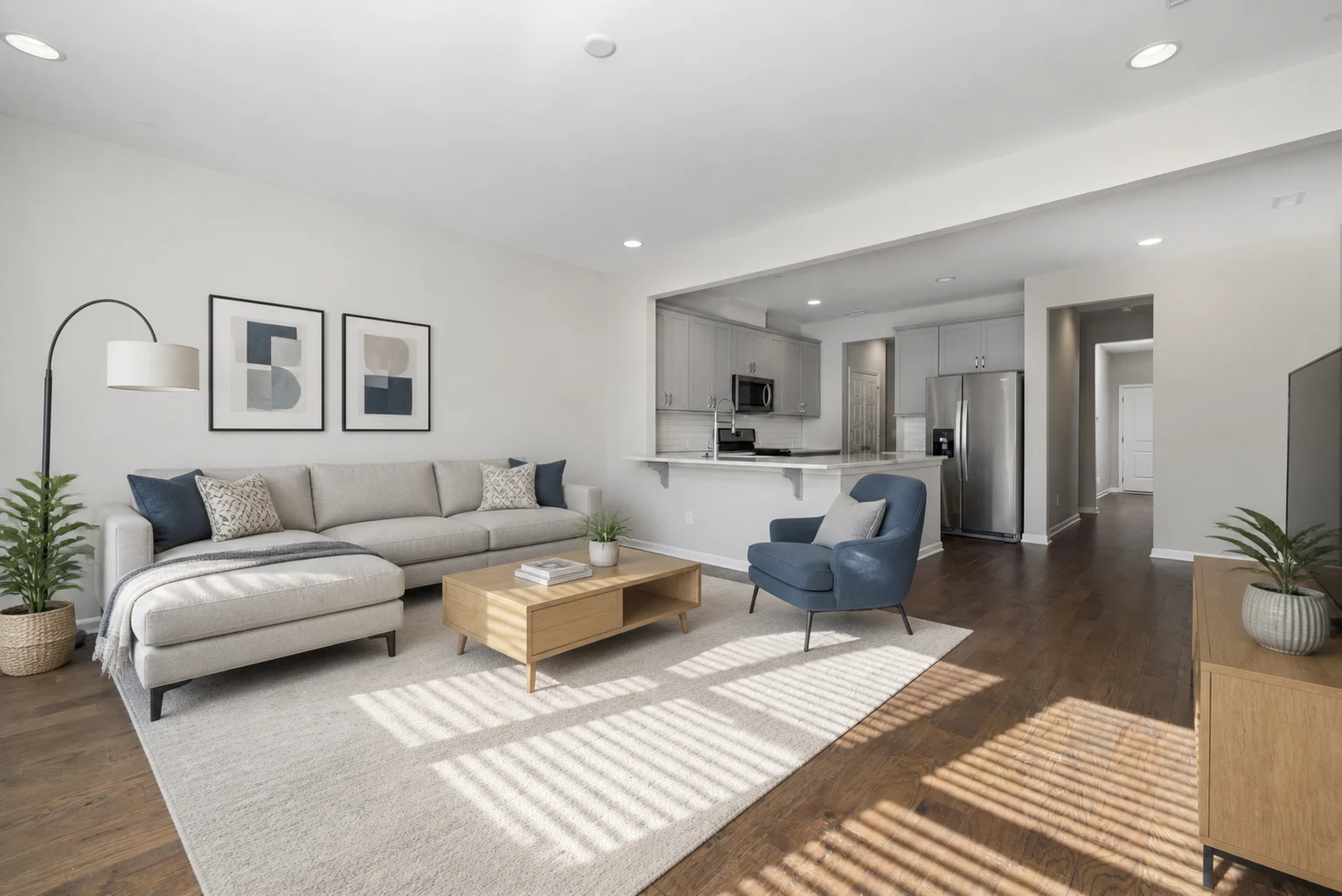
The comparison below shows how furniture and color can give an empty apartment a direction.
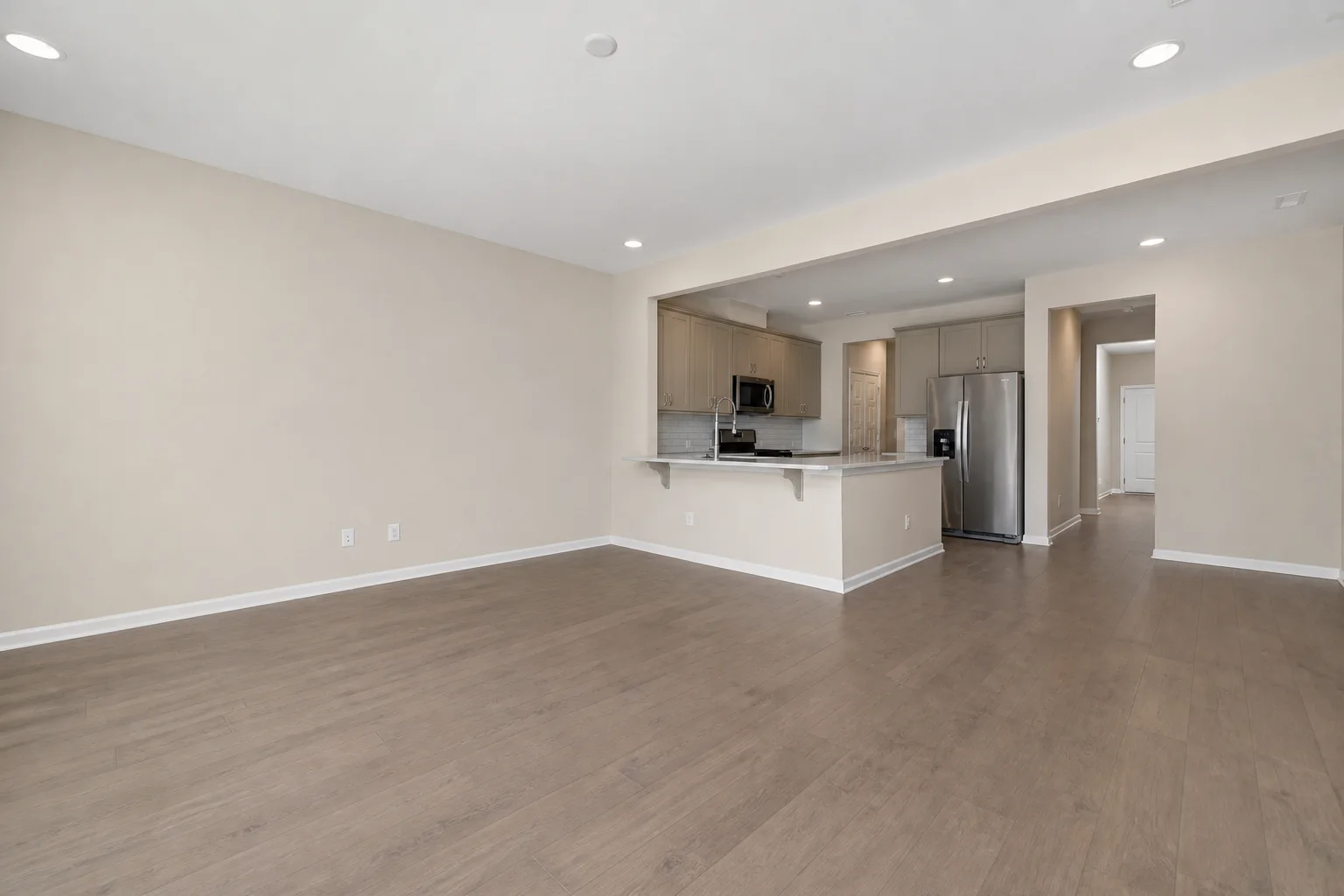
The pale rug brings the seating together, while the blue chair adds color without darkening the whole room. The oak coffee table and media unit connect with the existing floor. A useful second option would change the seating palette while keeping the kitchen, floor, and camera view consistent.
For a furnished living room, you could start with:
Give this living room a lighter, warmer palette. Keep the existing sofa, wood floor, windows, and furniture positions. Update the wall color, curtains, and rug with soft cream and muted warm tones. Keep the same camera view.
For a cabinet-only project, use the more specific prompts in our cabinet color preview guide.
Save the result before moving on
Download useful images, or save and share the project if you're using a planner. Give alternatives simple names such as living-room-warm and living-room-cool. This makes it easier to compare them on your phone or discuss them with someone else.
For a presentation or commercial project, check whether the resolution, watermark removal, and usage rights you need require a paid plan.
When is a paid plan worth it?
For one room, compare a small credit pack with one month's subscription, including any paid editing features or export options you need. For regular work across several rooms, calculate how many images each plan provides at your preferred quality setting.
Our AI interior design cost guide works through those numbers. If you're choosing primarily by features, the broader AI interior design tools comparison covers photo tools, planners, and professional software.
Frequently asked questions
Is there a completely free AI room designer?
Planner 5D and Homestyler have ongoing free room-planning features, and IKEA Kreativ is free for previewing IKEA furniture. The AI photo-redesign tools in this list offer limited free generations.
Can I upload a photo of my own room for free?
Yes. ImagineMyHouse, Remodel AI, and REimagineHome let you start with a room photo using their free allowances. Choose a clear photo showing the features you want the new design to work around.
Do I need a credit card?
ImagineMyHouse and REimagineHome offer signup trials without a card. You can compare ideas before choosing a paid plan. If another app asks you to activate a subscription trial, check its first billing date before continuing.
Can I download a free design?
In ImagineMyHouse, free results can be downloaded with a watermark. Other tools separate standard previews, HD downloads, and watermark removal differently. Compare the export you need alongside the free generation count.
Which option works for a kitchen or bathroom?
Use the kitchen tools shortlist for cabinet, counter, and layout choices, or the bathroom tools shortlist for tile, vanity, and fixture ideas. Those guides go into the room-specific details.
Try a new look in your own room
Upload a room photo and use your signup credits to explore a style or color palette.