Declutter a Room Photo or Remove the Furniture? Choose the Right Edit
Decide whether to tidy a room photo, remove its furniture, or erase one object. Compare examples and use focused prompts that keep the features you need.
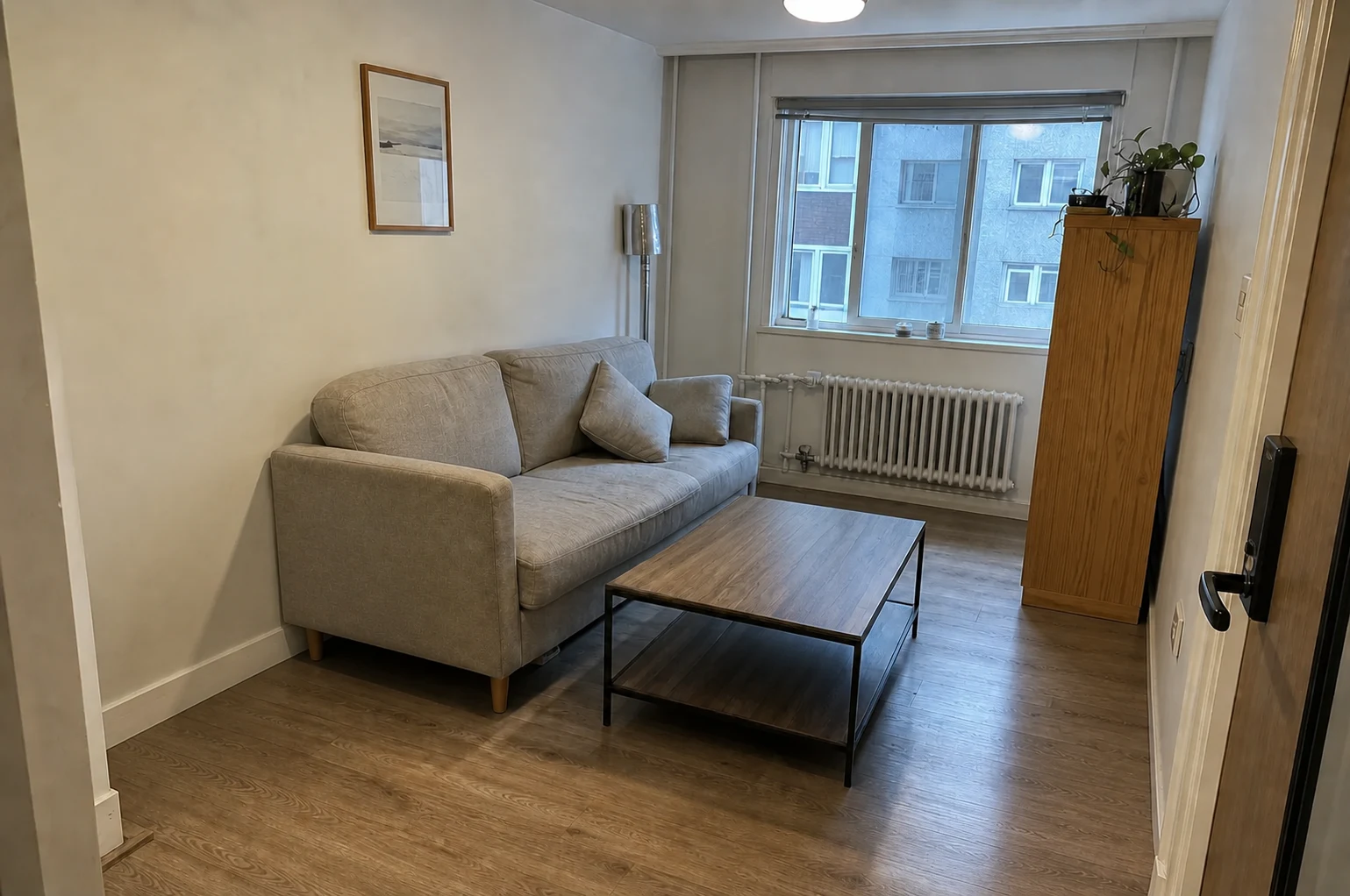
A sofa covered in clothes and a sofa you want to replace create two different editing jobs. Remove the clothes, and you can judge the sofa in the room. Remove the sofa as well, and you have a base for exploring another furniture arrangement.
The labels can be confusing because “room cleaner” is sometimes used for both. Choose by the result you need: a tidier version of the furnished room, or a room without its movable furniture.
The difference in one view
| Your next decision | Start with | What should remain |
|---|---|---|
Does my current furniture work with a different wall color? | Decluttering | Sofa, tables, storage, and other furniture you are keeping |
What could the room look like with an entirely different furniture set? | Furniture removal | Doors, windows, room shell, and named fixed features |
Can I clear the kitchen counters without remodeling? | Decluttering | Cabinetry, appliances, counters, and selected everyday items |
Can I remove only one chair? | A focused image edit | Everything except the named chair |
ImagineMyHouse's Room Cleaner is intended for loose clothes, boxes, papers, dishes, cables, and similar clutter. Furniture Removal goes further by clearing movable furnishings and reconstructing the areas they covered.
There is no need to empty every room before trying a design. When the existing furniture is part of your plan, keeping it visible gives the next edit a more useful starting point.
Declutter when the furniture is part of the decision
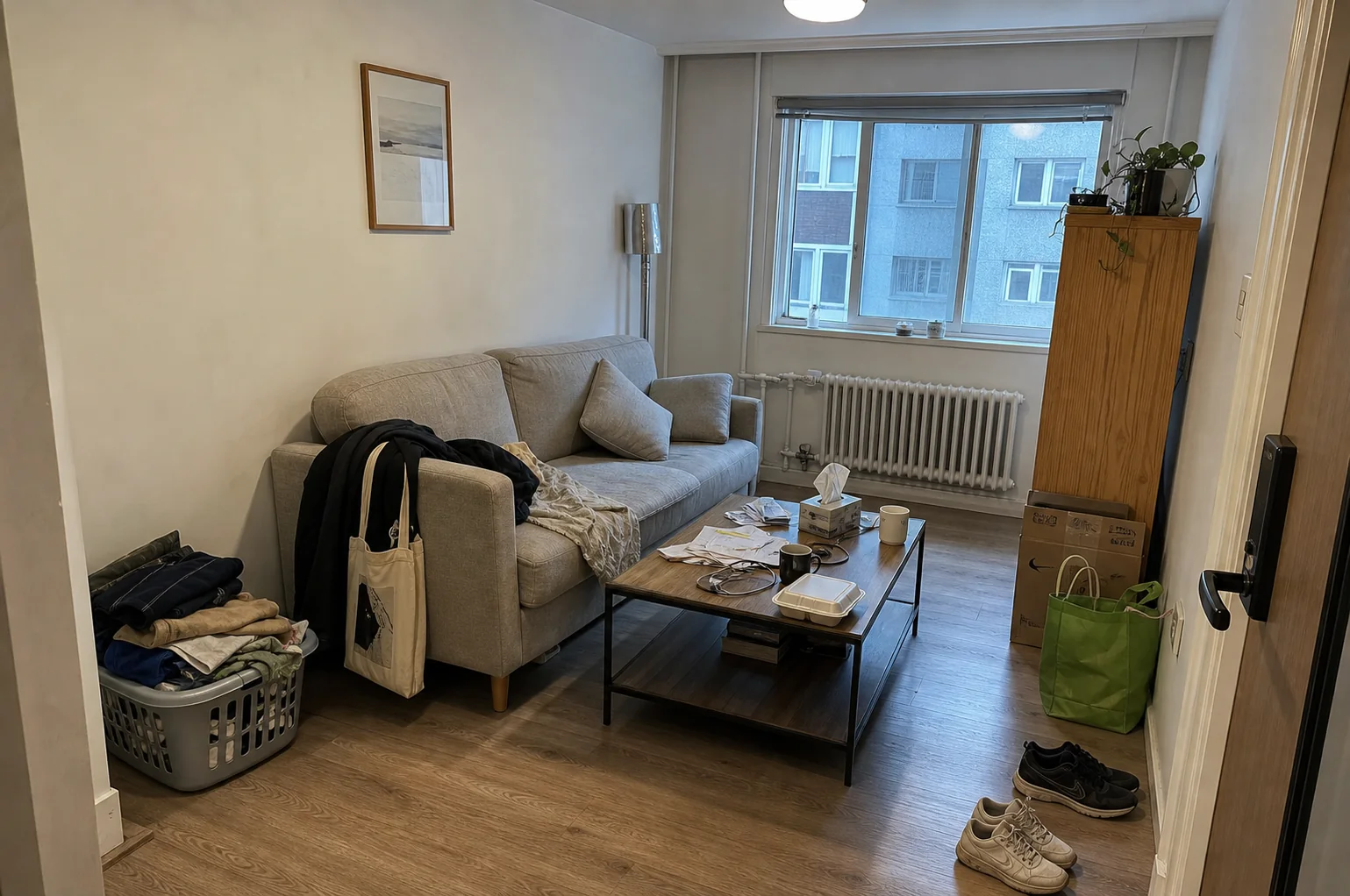
A tidier image makes it easier to see what is actually bothering you. Perhaps the room feels crowded because every surface is covered. Perhaps the layout really is cramped. Removing the loose objects helps separate those questions.
For a living room, name the sofa, coffee table, shelving, and any decorative objects you intend to keep. Plants, cushions, throws, and framed photographs can sit between “clutter” and “decor,” so do not expect the tool to make exactly your distinction.
A starting instruction could be:
Remove the clothes from the sofa, the delivery boxes beside the door, loose papers, and the cups on the coffee table. Keep the sofa, coffee table, rug, floor lamp, cushions, and the potted plant by the window. Retain the room layout, lighting, and camera view.
In a kitchen, the keep list matters even more. You may want the mail and dishes gone but the coffee machine left in place. A completely bare counter answers a different question from a tidier counter that still supports everyday use.
Review the saved image before moving on. If an item you wanted has vanished, restart from the original and name it explicitly. Do not build the next design around an accidental deletion.
Remove furniture when you need an empty-room base
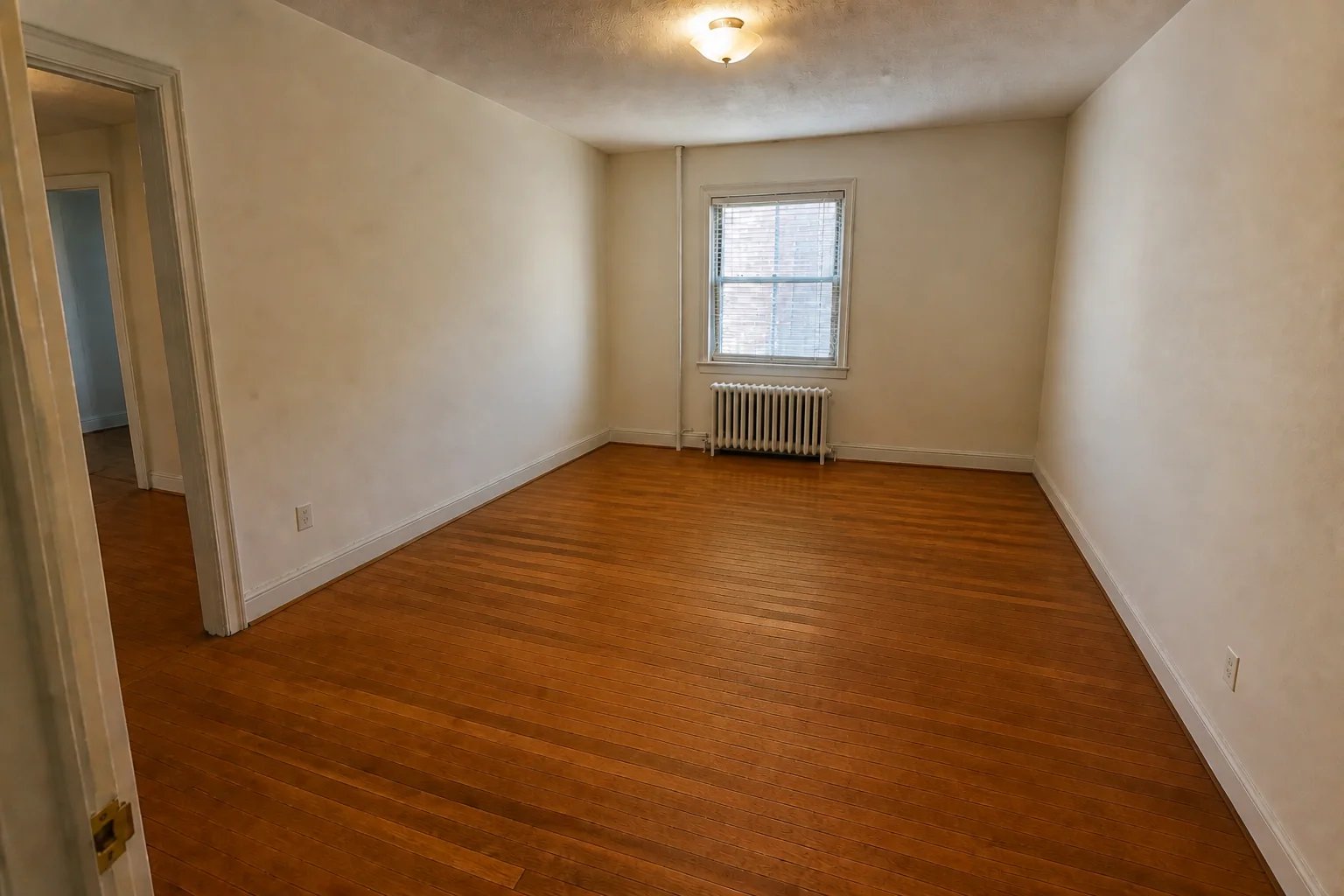
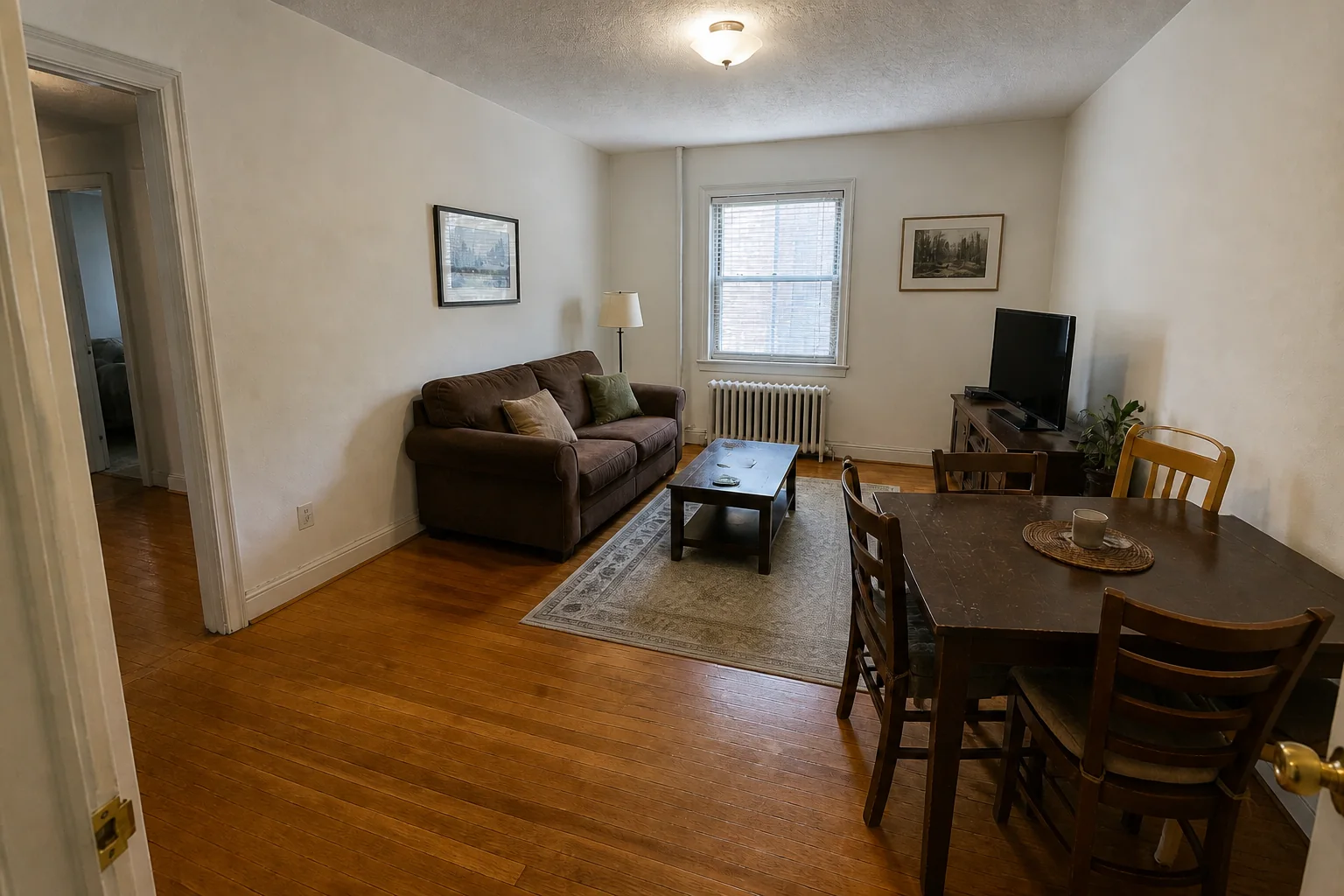
Furniture removal is useful when you are exploring a different furnishing direction, preparing an empty-room concept, or moving from a furnished photo into virtual staging.
The important distinction is between movable furniture and fixed features. A freestanding cabinet may be removable; fitted cabinetry is part of the room. A sofa can disappear, but a radiator, fireplace, or built-in bench may need to stay.
Describe the features that matter in the optional details:
Remove the freestanding sofa, dining table, chairs, rug, and floor lamp. Keep the built-in shelves, fireplace, radiator beneath the window, all doors and windows, and the existing floor pattern. Retain the original room proportions and viewpoint.
Removing an object exposes an information gap. If a cabinet hid a wall, the generated wall behind it is a plausible reconstruction, not a record of what was physically there. Look closely at floorboard direction, skirting, outlets, and the edges of fixed features.
A single-object edit may be all you need
Sometimes neither full decluttering nor complete furniture removal fits. You like the sofa, rug, and table, but want to see the corner without a large armchair.
Use the AI Image Editor and name the object by location and appearance:
Remove the dark armchair in the front-right corner. Keep the sofa, side table, floor lamp, rug, and other furniture in their original positions. Continue the visible floor and wall into the space the chair occupied.
A location alone may be ambiguous when several similar objects are present. “The dark armchair in the front-right corner” is more informative than “remove that chair.”
For a local correction, click Edit below your result, choose Basic or Pro, and paint over the object you want to change. Enter the instruction and click Apply edit.
Do you need both steps?
Usually not.
If the goal is to replace every movable furnishing, start with Furniture Removal. Running a declutter first adds another generated stage without necessarily helping the task.
For a finish-only comparison with your current furniture, stop after decluttering. Take the usable image into Interior Design, or make a narrower material or color change in the editor. For detailed preservation prompts, see the guide to keeping existing furniture.
For a different furniture set, review the empty-room output first, then take it into Virtual Staging. There is little value in furnishing a base image whose window, fireplace, or room boundary has already changed.
Use the original photo whenever you are trying a different removal strategy. Continue from an edited result only when you are happy with what it retained.
Questions worth settling before generating
Should curtains, rugs, and lamps stay?
That depends on your next decision. Keep them for a finish-only preview if you will still own them. Name them for removal when you are comparing a new furnishing concept. Treat fitted items and freestanding pieces separately in your instruction.
Can I use a messy phone photo?
Yes, provided the room and the objects are readable. Step back far enough to include the furniture boundaries and some floor. A close crop with half the sofa missing gives less information for either operation.
What should I do after the cleanup?
Ask one concrete question about the room you can now see. Keep the furniture and test a wall color, or empty the room and explore a different furnishing direction. Choose the lighter cleanup first when you are not yet sure that the furniture is the problem.
See your room without the clutter
Keep the furniture you like and clear the loose objects around it.