Can AI Redesign a Room While Keeping My Existing Furniture?
Learn how to redesign a room with AI while keeping your sofa, bed, and floors. Use focused prompts, check unwanted changes, and refine only what needs work.
Yes. Upload a photo of your furnished room, describe the pieces you want to keep, and request a specific change around them, such as a new wall color, rug, or curtains. Start with one change and compare the furniture with your original photo before trying the next.
A different wall color can make a favorite sofa feel at home in a new scheme. Curtains or a rug can pull together pieces you already own. Start with one of those changes so you can see which update makes the biggest difference.
Start with the room you have
Use a photo that already shows your furniture in place. In your instructions, describe the main pieces by color, material, and position: “the blue sofa beside the window” is more useful than “keep my furniture.”
ImagineMyHouse's AI Image Editor lets you upload that photo and describe a focused change to the wall, rug, curtains, or other surrounding details.
1. Make the furniture you are keeping easy to recognize
Use a level photo that shows the sofa or bed as fully as possible, along with the window, floor, and nearby furniture. Move any laundry blocking the sofa arm or headboard; leave the furniture and decor you want to keep in place.
Save the original separately. Do not use a previous design that already replaced the sofa as your starting photograph.
2. Try a wall, curtain, or rug prompt
Adapt these requests to the pieces and surfaces visible in your photo.
Keep the sofa; change the wall behind it
Change only the painted wall behind the blue two-seat sofa to a light warm gray. Retain the sofa's blue upholstery, square arms, cushions, size, and position. Keep the oak floor, bookcase, rug, other walls, windows, furniture arrangement, and camera view unchanged.
Warm gray is one option to compare with the blue upholstery. For a second version, try a soft cream from the same original photo.
Keep the bed; try different curtains
Replace only the curtains at the window with plain oatmeal fabric, using the existing curtain position. Keep the dark wood bed, headboard, bedding, bedside tables, floor, wall color, window dimensions, and lighting unchanged. Do not move the furniture or add new decor.
Keep the curtain request separate from new bedding or lamps initially. You can then tell whether the curtains themselves improve the room.
Keep the floor and furniture; compare a rug
Replace the existing rug with a muted terracotta flatweave-style rug in the same position and visible footprint. Keep the sofa, chair, coffee table, furniture arrangement, and exposed oak flooring unchanged. Preserve the floor's plank direction and color. Do not add furniture or change the room lighting.
Keep the rug's visible footprint the same while comparing colors and patterns. Once you've chosen a direction, measure the space to select a rug size.
3. Generate and save your first option
In ImagineMyHouse, upload a JPG, PNG, or WebP image up to 10 MB. Enter the request in Edit instructions, set quality and quantity, and check the credit amount displayed on Generate before submitting.
Start with one image and download any version you want to keep. Use the original photo to try a different wall color or rug. For a small adjustment to a version you like, upload that version for the next edit.
4. Compare the furniture with your original photo
Check the features that make your furniture recognizable: sofa arms and cushions, chair legs, headboard shape, upholstery, and wood tone. Also compare where each piece sits in relation to the window and nearby furniture.
If those match, look at how the new color or fabric works with them. If a piece has been replaced or recolored, use the correction steps below.
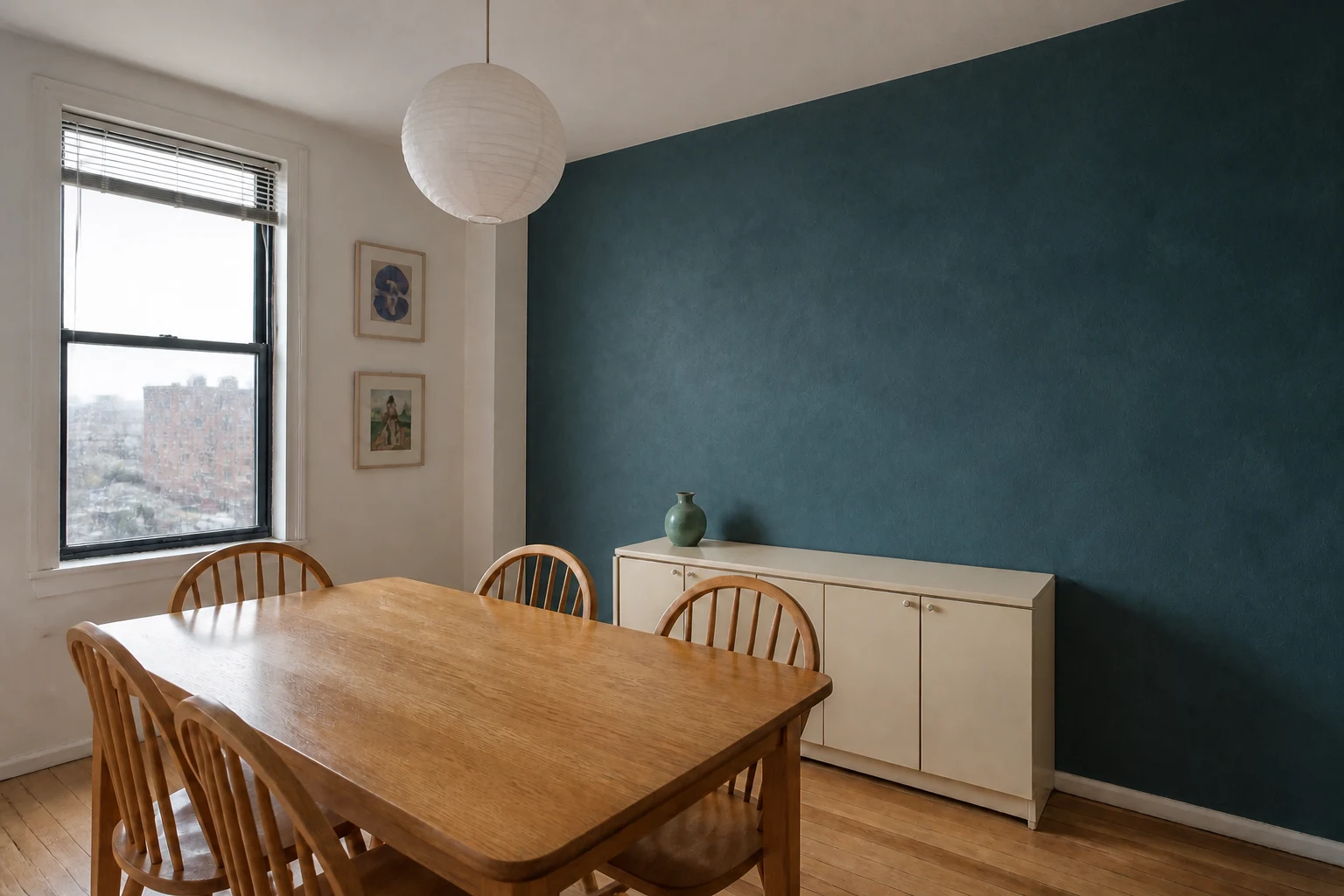
Example: an accent wall around a wooden dining set
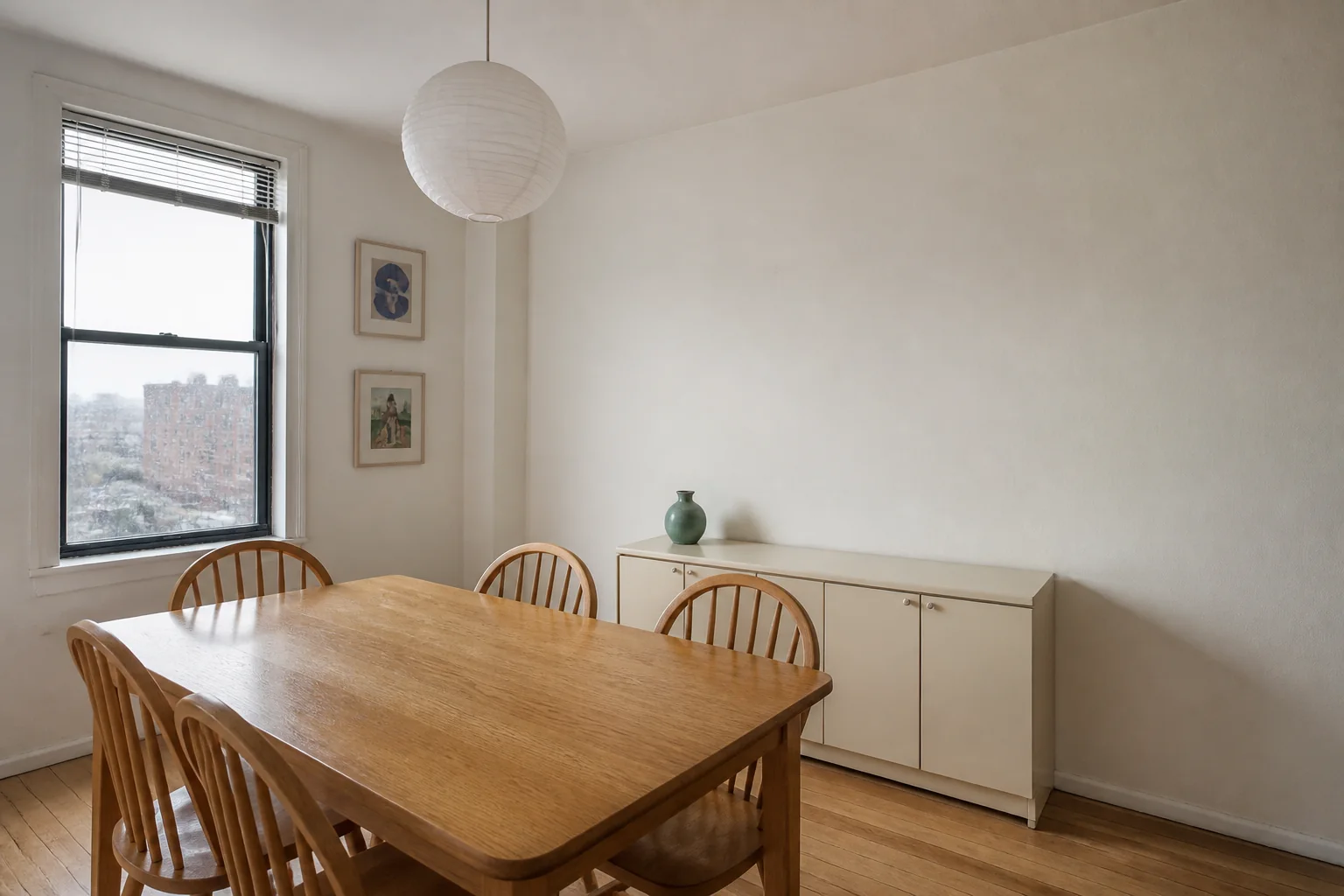
The cream sideboard stands out more clearly against blue-green than off-white. Both wall colors work with the wooden dining set and paper pendant.
This is a useful first experiment when you like your furniture but the room feels washed out. Try a color already present in a rug, artwork, or fabric to connect the new wall with the rest of the room.
5. Fix unwanted furniture changes
| Result | Next action |
|---|---|
The sofa or bed was replaced | Re-upload the original and narrow the edit to one surrounding surface. |
The furniture stayed, but the requested color is wrong | Use the accepted result for a focused color adjustment. |
The floor or room geometry changed | Restart from the original; explicitly name the retained floor and fixed openings. |
You want a completely different decorating direction | Create an independent option from the original rather than editing the previous direction repeatedly. |
For a wall edit that changes the sofa, a clearer retry is:
Repaint the wall behind the sofa only. Do not recolor or replace the blue two-seat sofa, including its square arms and cushions. Retain all furniture, flooring, windows, and lighting. No other styling changes.
Use that instruction with the original photo. Repeat the important keep instructions whenever you upload a new input.
If the editor keeps replacing a distinctive piece, try a photo editor with manual selections. You can select just the wall or curtain area and leave the furniture outside the edit.
6. Turn your favorite option into a decorating plan
Make a short shopping list from the changes you liked: a paint sample, a curtain fabric, or a rug in the chosen color and pattern.
Compare samples beside your furniture under daytime and evening lighting. Measure for curtains and rugs before ordering. The home renovation planning guide can help if the project grows beyond decorating.
Frequently asked questions
Can I keep all my furniture and change only the walls?
Yes. Specify which walls to repaint and ask to keep the furniture, flooring, trim, and openings unchanged.
Do I need separate photos of my sofa or bed?
No. A clear room photo with the furniture visible is enough to start. Include the full sofa or bed where possible so its shape and position are easy to see.
Can this tell me whether rearranging the furniture will fit?
Use a floor planner for that. Enter the room and furniture dimensions, then compare arrangements with space for doors to open and people to walk through.
Can I try it without paying?
ImagineMyHouse provides limited trial credits after signup without a credit card. Check the generation cost and your balance; further use depends on available credits or a paid pack or subscription.
Refresh the room around your favorite furniture
Upload your room photo and request a focused wall, rug, or curtain change while naming the pieces you want to keep.