How to Add Furniture to an Empty Room Photo With AI
Add a bed and nightstands to your empty bedroom photo with AI. Check fixed features, refine the arrangement, and verify measurements before buying.
Upload an empty-room photo to Virtual Staging, choose Bedroom and one style, and describe the furniture, placement, and fixed features to preserve. Generate a first image, compare it with the original, and verify real dimensions before buying.
You can add furniture to an empty room photo with AI virtual staging: upload the room, choose Bedroom, and describe the few pieces you need and where they should go. Start with a bed and bedside surfaces, then judge the arrangement against the fixed features in your original photo.
1. Give the room a job before adding furniture
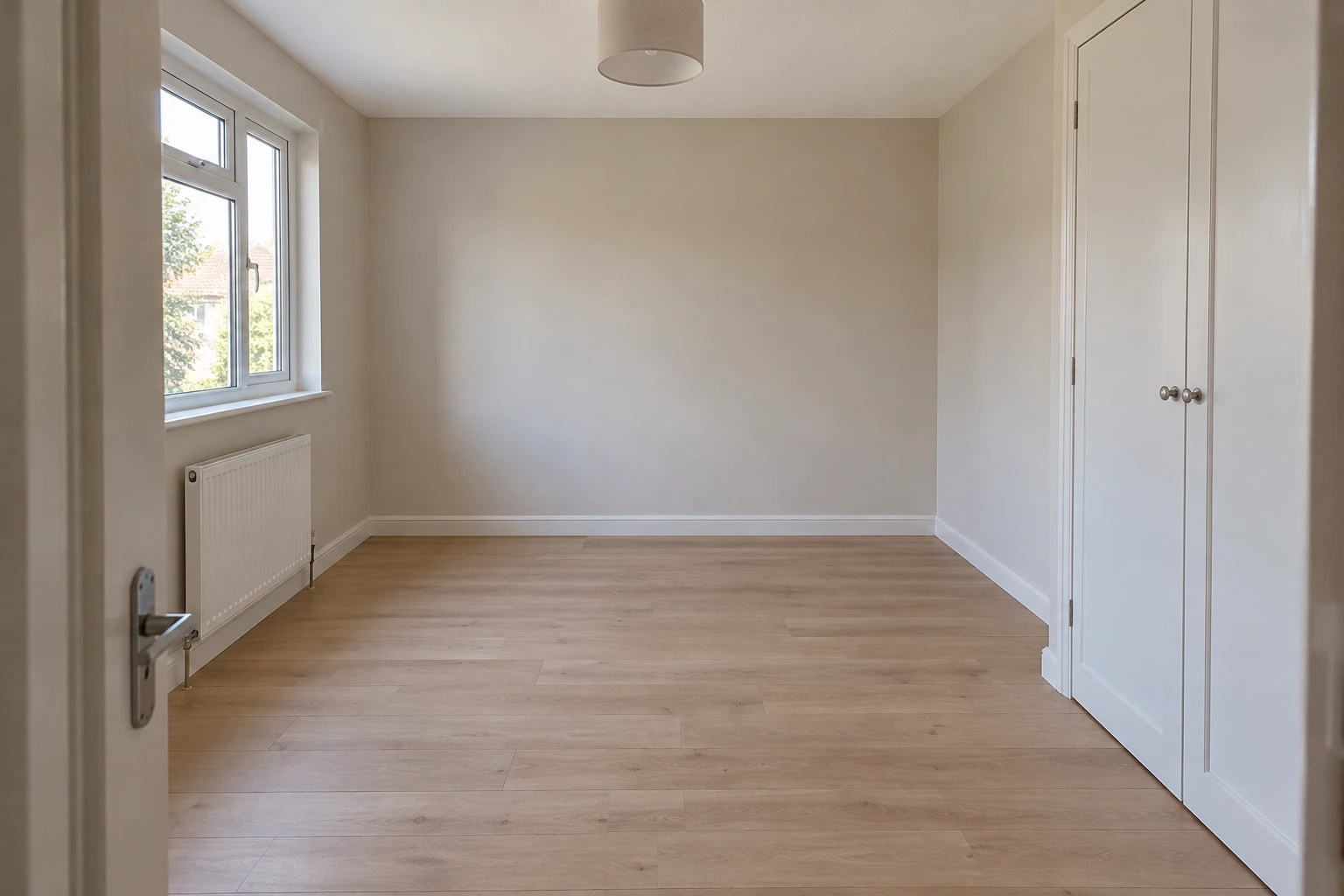
For this bedroom, the first task is a sleeping setup, not filling every corner. The existing wardrobe already provides storage, so another cabinet would make the proposal harder to evaluate.
Treat the window, radiator, wardrobe, and doorway as constraints. Ask for a clear route to the bed and wardrobe rather than simply a “beautiful bedroom.”
2. Set up a focused furnishing request
Open Virtual Staging and upload a JPG, PNG, or WebP showing the empty or sparsely furnished room. Include the fixed features you need to judge.
Choose Bedroom under Room type and one restrained Style, such as Scandinavian. Color palette can stay automatic or unspecified. Use Details for the furniture, placement, and preservation instructions.
Start with one image; sign in to generate, and the Generate button shows the credit cost first.
3. Describe placement, not just a style
Adapt this prompt to your room:
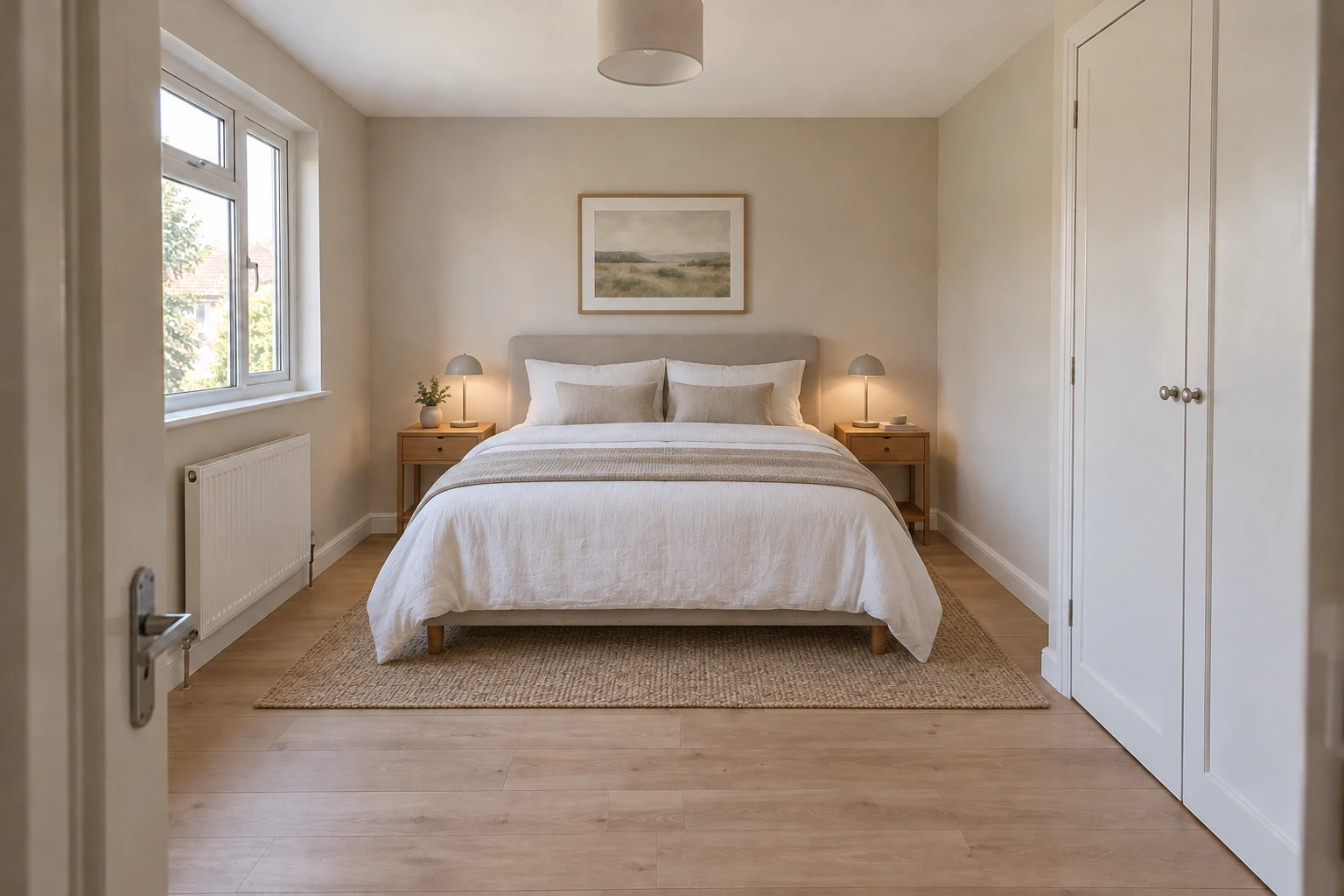
Furnish this empty room as a bedroom. Add a moderately sized double bed centered against the back wall and two narrow wooden nightstands. You may add a rug partly beneath the bed. Preserve the left-wall window and white radiator, the fixed wardrobe on the right, the door, floor, walls, viewpoint, and original lighting. Keep a clear route from the doorway to the bed and wardrobe. Do not add extra storage or seating.
AI-generated illustrations of one possible bedroom arrangement.
The bed anchors the back wall, while the original window, radiator, and wardrobe remain reference points. The rug and artwork help you picture the room, but they are not the first things to approve.
4. Check the room before judging the furniture
First compare the fixed features. Has the room become wider? Has the wardrobe shrunk or the radiator moved? A more spacious-looking result is not useful if it changes the room you actually have.
Then inspect the furniture: does it sit on the floor, look proportionate, and avoid the window and radiator? Check the doorway, wardrobe doors, and routes around the bed. Visible empty space is not proof that doors can open fully.
For an unwanted extra chair or cabinet, open Edit beneath the chosen result to use the Image Editor. Brush over the unwanted item, request its removal, and check the neighboring surfaces afterward.
5. Measure before turning the image into a purchase
To try another arrangement, generate it independently from the original photo. Keep a version that respects the room rather than repeatedly modifying a flawed result.
Before buying, check the actual bed and nightstand dimensions, measure their intended positions, and allow for the wardrobe doors to open. Use Floor Planner with real measurements to check placement.
Already have a bed you want to keep? Use the existing-furniture guide. Staging is for adding movable pieces, not automatically replacing the furniture already present.
Picture your empty bedroom with furniture
Upload your photo and describe a simple arrangement around the room's existing features.