How Can I Preview New Flooring With My Existing Furniture?
Use your room photo to compare new flooring around the furniture you are keeping. Test materials, fix unwanted edits, and choose physical samples.
Upload a photo of your furnished room, choose a floor material, and request a change to the visible flooring only. Compare options from the same original photo, check for unwanted furniture or lighting changes, then use physical samples to choose the actual product.
You do not need an empty-room photo to compare floors. Leave the furniture you intend to keep in place and use it to judge each option. The useful question is not which floor looks best alone, but which one works with your sofa, rug, cabinets, and wood trim.
Start with a photo that shows the floor
Take a level photograph with a useful stretch of flooring visible between the furniture. Include table legs, cabinet bases, wall edges, and any doorway where the floor meets another surface.
Move loose bags or laundry out of the way, but keep the furniture and rugs you are planning around. If a large rug hides most of the floor, take another angle rather than asking the AI to invent an unseen room. Save the original separately.
Choose two material directions
Open ImagineMyHouse’s Flooring Visualizer and upload a JPG, PNG, or WebP. Under Floor material, choose Light oak, Walnut, Porcelain tile, Limestone, Concrete, or Carpet. You do not need to trace the floor manually.
Start with two genuinely different options: light oak versus walnut for a wood-tone decision, or oak versus porcelain tile for a broader material comparison. Use Details to describe the tone, grain direction, finish, and elements to retain.
Set the image count to one and sign in to generate; the button shows the credit cost first. Keep the same quality setting and return to the original photo for the second option.
Copy a floor-only instruction
For a furnished living room, select Light oak and adapt this text to your furniture:
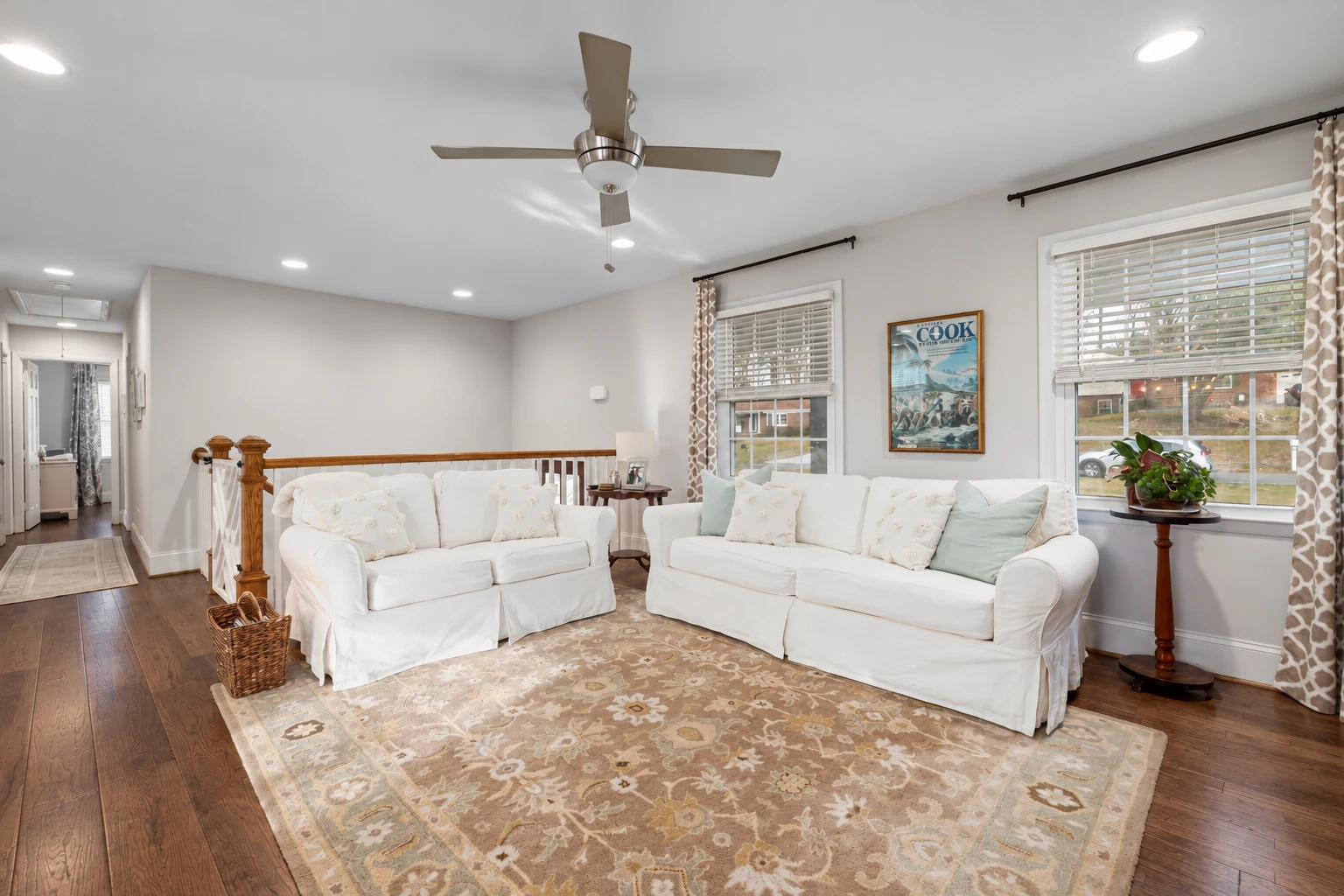
Replace only the visible installed flooring with light oak in a natural beige tone, subtle grain, and a matte finish. Run the planks parallel to the longest wall. Keep the two white sofas, patterned rug, wooden stair rail, side tables, walls, and windows. Preserve furniture shapes and positions, the rug’s edges, the camera view, and the original lighting. Do not add furniture or restyle the room.
For the second version, select Walnut and replace the opening material description with “medium-dark walnut with restrained grain and a matte finish.” Keep the preservation instructions unchanged.
Avoid asking for a new floor and a brighter, more luxurious room together. That makes it harder to tell whether you prefer the flooring or the other changes.
Judge the floor against what stays
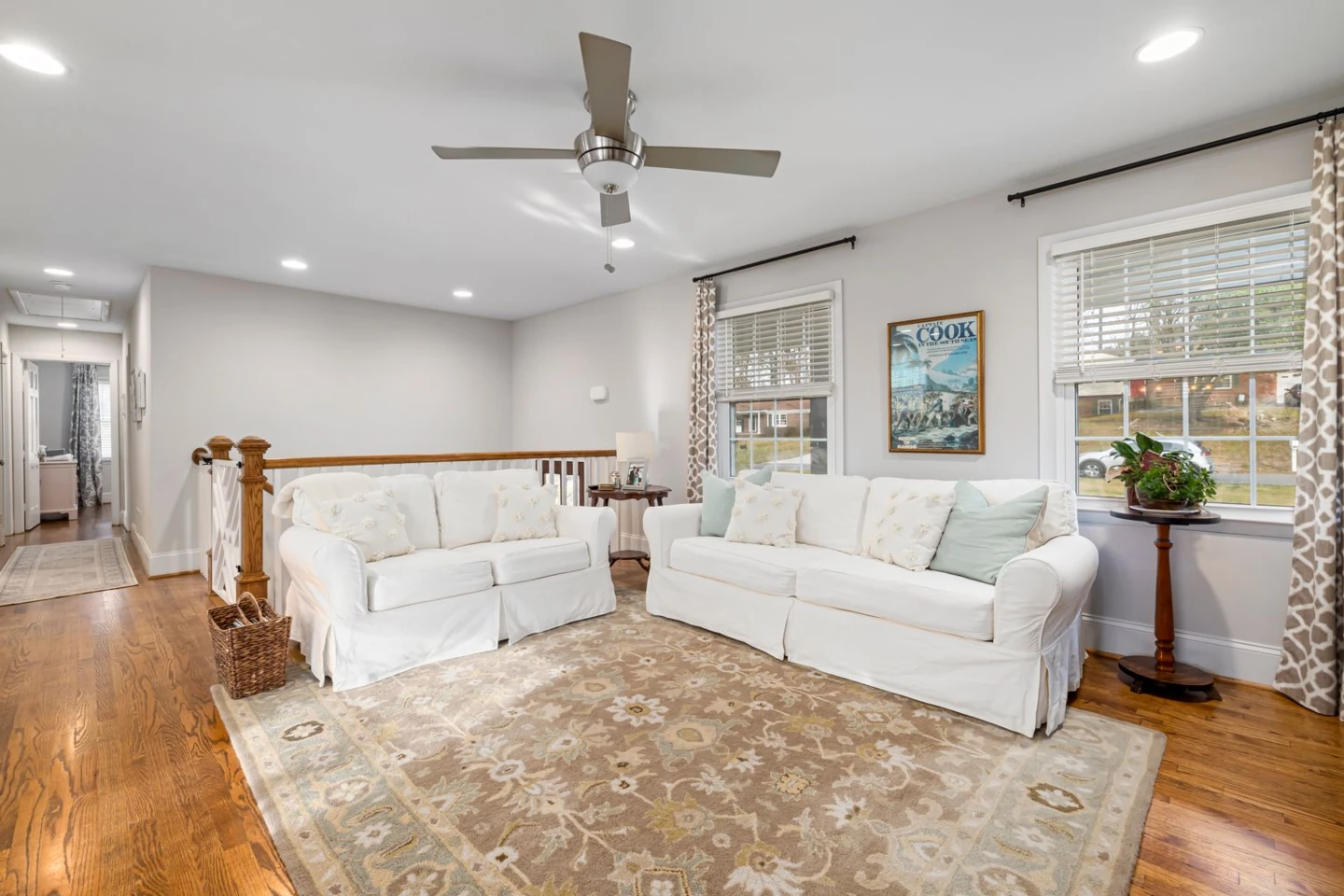
The walnut-tone alternative is an AI-generated illustration for comparing floor color with existing furniture.
Here, the deeper brown separates the floor more clearly from the white upholstery. It also creates a stronger distinction from the golden stair rail. Neither relationship is automatically better: decide whether you prefer coordinated wood tones or a deliberate contrast.
Look at the exposed floor beside the rug, not just the largest empty patch. That narrow border is where the new material will meet something you already own.
Fix unwanted changes before choosing
Compare each preview with the original before judging its style. Check table legs, cabinet feet, rug corners, furniture colors, and the direction of the light. A floor should not win the comparison simply because the AI also brightened the room.
If furniture changes or the rug disappears, restart from the original and narrow the request. Add a specific correction such as: “Keep every chair leg and the existing rug outline; apply the new material only to exposed flooring.”
If the room is otherwise intact but a small floor edge needs attention, open Edit beneath the result and use the brush in the Image Editor to target that patch. Check the surrounding details again afterward.
Turn your favorites into a sample shortlist
Choose two previews and write down what you like about each: a less yellow wood tone, quieter grain beside patterned upholstery, or a pale tile that contrasts with dark cabinets. Those descriptions are more useful in a flooring store than asking for an exact match to an AI image.
Bring physical samples home and lay them flat beside the sofa, cabinet base, and existing trim. Check them in daylight and under your evening lighting. For wood or patterned tile, ask to see several pieces together so you can judge variation rather than one isolated sample.
Confirm the actual product’s finish, maintenance requirements, installation suitability, quantities, and installed cost with the supplier or installer. The preview helps narrow the appearance; it does not calculate the order.
For a separate wall or textile update, see how to redesign a room while keeping your furniture.
Find a floor that works with what you own
Upload your room photo and compare flooring around the furniture and finishes you plan to keep.